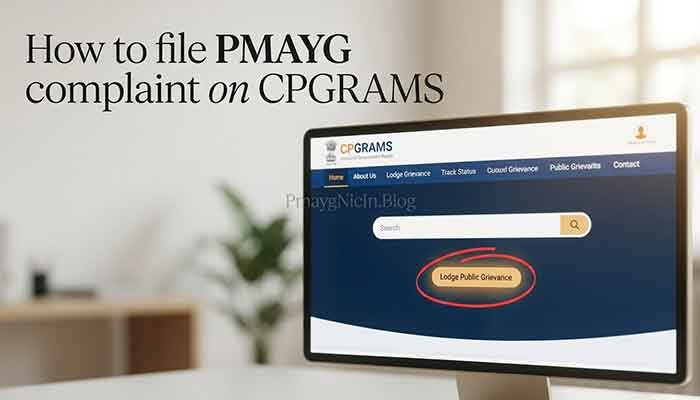

PMAYG Status Check: A Simple Guide for Beneficiaries
Introduction
Hello, I’m Suman, and I’ve been researching and writing about government schemes for my blog, “Pmayg Nic In.blog”. I’ve noticed a lot of confusion and anxiety among people trying to find out the status of their Pradhan Mantri Awas Yojana Gramin (PMAY-G) application. It can be frustrating not knowing where your application stands. In this article, I’ll walk you through a simple, step-by-step process for a PMAYG status check, so you can get the information you need without any hassle.
Quick Summary (At A Glance)
| Scheme / Topic Name | PMAY-G Beneficiary Status |
| Purpose | To provide financial assistance to eligible rural families to build a permanent (“pucca”) house. |
| Benefit / Key Information | Financial aid of ₹1.20 lakh in plain areas and ₹1.30 lakh in hilly or difficult areas. |
| Latest Update / Status | The PMAY-G scheme has been extended, and a new Awaas+ survey started in early 2025 to include more families. |
| Official Website | The primary portal for PMAY-G is pmayg.nic.in. |
My Real-World Experience or Observation
I often help people in my community navigate these government portals. A common mistake I see is people getting anxious when their name doesn’t appear on a list immediately after applying. The verification and fund disbursement process is multi-staged, and there can be delays. I always advise patience and checking the status periodically through the official channels I’ll outline below.
What is PMAY-G Beneficiary Status?
In simple terms, the PMAY-G beneficiary status is your application’s current position in the system. It tells you if your application has been received, verified, approved, and when you can expect to receive financial assistance.
It’s a way for you to track the journey of your application from submission to the final disbursal of funds.
Eligibility Criteria
Here’s a straightforward breakdown of who is eligible for the PMAY-G scheme:
- Houseless families.
- Families living in houses with zero, one, or two rooms with kutcha (temporary) walls and roofs.
- Households with no literate adult above 25 years.
- Households without a male adult member between 16 and 59 years of age.
- Landless households who earn a major part of their income from casual labor.
It’s equally important to know who is NOT eligible. Generally, you are not eligible if you or any family member:
- Owns a motorized two, three, or four-wheeler, or a fishing boat.
- Owns mechanized agricultural equipment.
- Has a Kisan Credit Card with a limit of ₹50,000 or more.
- Is a government employee or earns more than ₹10,000 per month.
- Pays income or professional tax.
- Owns a refrigerator or landline phone.
Read More: PMAYG New List 2026: A Complete Guide to Check Your Name
Required Documents
Having the right documents ready is crucial. Here’s what you’ll typically need:
| Document | Why it’s needed |
| Aadhaar Card | For identity and to link with your bank account for direct benefit transfer. |
| Job Card | A job card registered with MGNREGA is often required. |
| Bank Account Details | To receive the financial assistance directly into your account. |
| Swachh Bharat Mission (SBM) Number | If you’ve been registered under the SBM. |
| Affidavit | A declaration stating that you or your family members do not own a pucca house. |
How to Check PMAYG Status (Step-by-Step)
Checking your PMAYG status is easier than you might think. Here’s how you can do it:
Using the Official PMAY-G Website
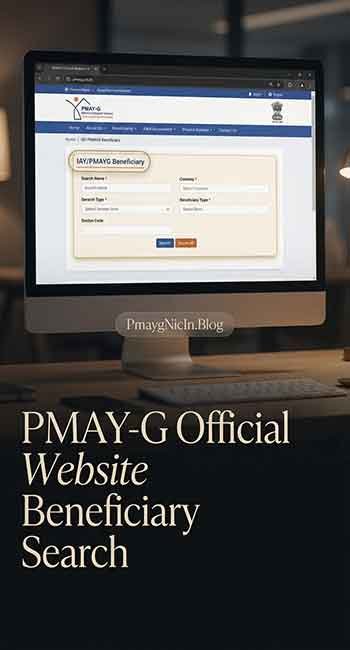
- Visit the Official Portal: Go to the PMAY-G official website: pmayg.nic.in.
- Find the ‘Stakeholders’ Section: On the homepage, you’ll find a menu item called ‘Stakeholders’. Click on it.
- Select ‘IAY/PMAYG Beneficiary’: A dropdown menu will appear. Select the ‘IAY/PMAYG Beneficiary’ option.
- Enter Your Registration Number: You will be prompted to enter your registration number.
- After entering it, click ‘Submit’.
- View Your Status: Your beneficiary details, including the status of your application and fund disbursement, will be displayed.
Using the UMANG App
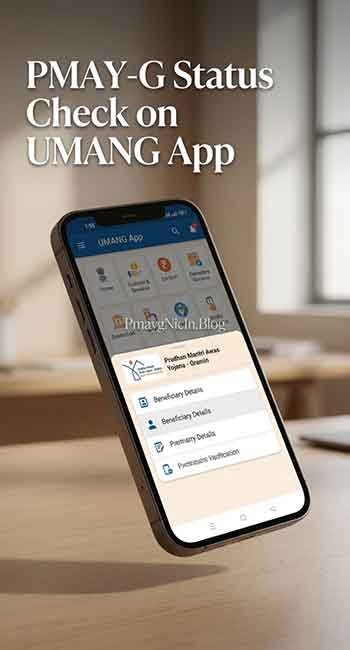
- Download and Log in: If you don’t have the UMANG app, you can download it from the Google Play Store or Apple App Store. Register and log in.
- Search for PMAY-G: Use the search bar in the app to find the “Pradhan Mantri Awas Yojana – Gramin” service.
- Select ‘Beneficiary Details’: From the available options, choose ‘Beneficiary Details’.
- Enter Registration Number: Enter your registration number and tap on the search button.
- Check Your Details: The app will display your complete beneficiary details.
Common Problems Users Face & Solutions
From my experience, here are a few common hurdles and how to overcome them:
| Problem | Solution |
| Incorrect Registration Number | Double-check the registration number you are entering. Even a small mistake can lead to errors. If you’ve lost it, you might need to contact your local panchayat office. |
| Status Not Updated | As I mentioned, the process takes time. If your status hasn’t changed for a while, it could be due to verification backlogs. It’s best to wait and check again after a few weeks. You can also inquire at your local block office for an update. |
| Name Not on the List | If your name is not on the beneficiary list, it could be because your application is still under review or did not meet the eligibility criteria. The Awaas+ survey aims to include left-out families, so ensure your details are correctly registered. |
| Incorrect Bank Details | Incorrect bank details can delay payment. When checking your status, verify that your bank account number and other details are correct. If not, contact the concerned office immediately to get it rectified. |
Frequently Asked Questions (FAQs)
If you don’t have your registration number, you can use the “Advanced Search” option on the PMAY-G portal.
The scheme provides ₹1.20 lakh for homes in plain areas and ₹1.30 lakh for homes in hilly or difficult-to-access areas.
Beneficiaries are generally identified from the Socio-Economic and Caste Census (SECC) data and verified by the Gram Sabha.
The financial assistance is transferred directly to the beneficiary’s bank account in installments, linked to the stages of house construction.
Important Disclaimer
Please remember that this article is for informational purposes only. I, Suman, and my blog “Pmayg Nic In.blog” are not affiliated with any government body. While I strive to provide accurate information, you should always verify details on the official PMAY-G website (pmayg.nic.in).
Conclusion
I hope this guide has made the process of checking your PMAYG status clearer and less stressful. The key is to use the official website or the UMANG app and to have your registration number handy. Remember to be patient, as the process can take time. If you found this article helpful, please share it with others who might be in a similar situation. Do you have any other questions? Feel free to ask in the comments below